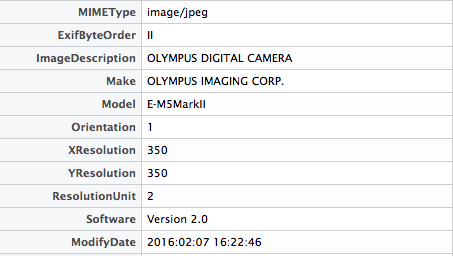
This is an introduction to a package for collecting EXIF data for photos. It is useful for photo management because it can capture the camera model and the conditions under which the photo was taken.
Perl installation is required for use on Windows. Please download and install “Strawberry Perl” from the link below before installing the package.
Strawberry Perl:http://strawberryperl.com/
Package version is 0.3.2. Checked with R version 4.2.2.
Install Package
Run the following command.
#Install Package
install.packages("exifr")
Example
See the command and package help for details.
#Loading the library
library("exifr")

#Seleceimage file
library("tcltk")
OpenFile <- paste0(as.character(tkgetOpenFile(title = "image file ",
                                              filetypes = '{"image file " {".*"}}',
                                              initialfile = c("*.*"))))

#Get EXIF of image file:exifr command
#Information to be obtained:exiftoolargs option;
#Get camera model as an example
ExifData <- as.data.frame(t(exifr(OpenFile, exiftoolargs = NULL)))
V1
SourceFile /test.JPG
Model                              E-M5MarkII

#CSV output of acquired data to a working directory
write.csv(ExifData, "ExifData.csv")
I hope this makes your analysis a little easier !!