Here are some commands used in R on a daily basis as they come to mind.
Checked with R version 4.2.2.
<おすすめのRに関する書籍です>
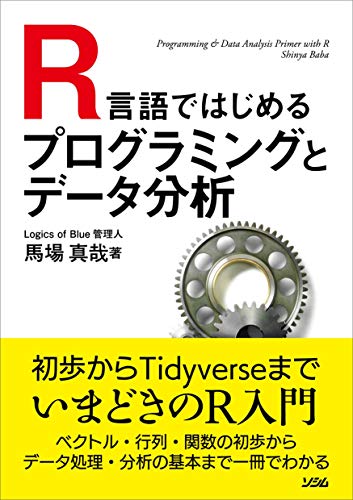
R言語ではじめるプログラミングとデータ分析 | 馬場 真哉
Amazonで馬場 真哉のR言語ではじめるプログラミングとデータ分析。アマゾンならポイント還元本が多数。馬場 真哉作品ほか、お急ぎ便対象商品は当日お届けも可能。
 www.amazon.co.jp
Example
Check the comments and command help for details.
#Install Package
#from CRAN:install.packages command
install.packages("Package Name")

#from Github:「devtools」package::install_github command
#github:URL:https://github.com/search?utf8=%E2%9C%93&q=language%3AR&type=Repositories&ref=advsearch&l=R&l=
install.packages("devtools")
devtools::install_github("Acount Name/Package Name")

#Loading the library:library command
library("Package Name")

#Randomly retrieve data:sample command
sample(LETTERS[1:24], size = 10, replace = TRUE)
[1] "B" "G" "S" "E" "E" "G" "X" "H" "R" "E"

#Check the class of data:class command
class(LETTERS[1:24])
[1] "character"

#Combine characters data
#paste command
#例1;Combine characters
paste("karada", 10, "いいもの", sep = " ")
[1] "karada 10 いいもの"
#例2;Combine characters without whitespace
paste0("karada", 10, "いいもの")
[1] "karada10いいもの"

#Create data.frame:data.frame command
TestData <- data.frame(Data1 = 1:5,
                       Data2 = 6:10)
#Check
TestData
Data1 Data2
1     1     6
2     2     7
3     3     8
4     4     9
5     5    10

#Select dataframe columns
TestData[, 2]/TestData[, c(2:10)]
[1]  6  7  8  9 10

#Select dataframe rows
TestData[2, ]/TestData[c(2:10), ]
Data1 Data2
2     2     7

#Subset of data:subset command
subset(TestData, TestData[, 2] < 8)
Data1 Data2
1     1     6
2     2     7

#Extract data, specify column names
#Useful in combination with regular expressions
TestData[colnames(TestData) %in% "Data2"]
Data2
1     6
2     7
3     8
4     9
5    10

#Check data structure:str command
str(TestData)
'data.frame':   5 obs. of  2 variables:
  $ Data1: int  1 2 3 4 5
$ Data2: int  6 7 8 9 10

#Data Summary:summary command
summary(TestData)
Data1       Data2
Min.   :1   Min.   : 6
1st Qu.:2   1st Qu.: 7
Median :3   Median : 8
Mean   :3   Mean   : 8
3rd Qu.:4   3rd Qu.: 9
Max.   :5   Max.   :10

#Processed column by column, row by row:apply command
#MARGIN option set to 1 for columns
apply(TestData, MARGIN = 2, mean)
Data1 Data2
3     8

#Unify duplicates:unique command
unique(c(1, 1, 2, 2, 3, 3))
[1] 1 2 3

#Select Files
#Use「tcltk」package
library("tcltk")
paste0(as.character(tkgetOpenFile(title = "Select File",
                                  filetypes = '{"XXXX file" {".extension"}}',
                                  initialfile = c("*.extension"))))

#Select folder
#Use「tcltk」package
library("tcltk")
paste(as.character(tkchooseDirectory(title = "Select folder"), sep = "", collapse =""))

#Remove NA:complete.case command
x <- c(1, 2, 3, NA, 5)
x
[1]  1  2  3 NA  5
#Check data.frame
x[complete.cases(x)]
[1] 1 2 3 5

#Obtain the operating system
.Platform$OS.type
[1] "unix"

#Get working directory
getwd()

#Set working directory
setwd()

#Iterative process
for(n in 1:10){

  show(1 + n)

}

[1] 2
[1] 3
[1] 4
[1] 5
[1] 6
[1] 7
[1] 8
[1] 9
[1] 10
[1] 11
I hope this makes your analysis a little easier !!