This is an introduction to commands related to truncating and raising decimal points that are often forgotten. We hope this will help you.
The execution command is confirmed with R version 4.2.1.
Execute command
See the comments and command help for details.
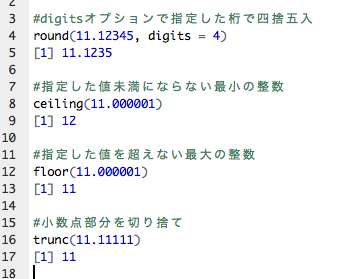
#Round command
#Round to the number specified by the digits option
round(11.12345, digits = 4)
[1] 11.1235

#Ceiling command
#Smallest integer not less than the specified value (integer part)
ceiling(11.000001)
[1] 12

#Floor command
#Floor command #maximum integer that will not be less than the specified value (integer part)
floor(11.000001)
[1] 11

#Trunc command
#Truncate the decimal part
trunc(11.11111)
[1] 11

#Format command
#Set the number of digits: nsmall option
format(11.000001, nsmall = 3)
[1] "11.000"

#Additional
#Use string::str_pad command
#Add zeros at the beginning to align :pad option to specify what to add at the beginning
#Install the tidyverse package if not already installed
if(!require("tidyverse", quiet = TRUE)){ install.packages("tidyverse")
  install.packages("tidyverse");require("tidyverse")
}
11 %>% str_pad(4, pad = 0)
[1] "0011"

#Add 0 to the decimal point
#In this example, add 4 decimal places
#Note that it may not round up to the nearest integer
sprintf(11.10005, fmt = '%#.4f')
[1] "11.1000"
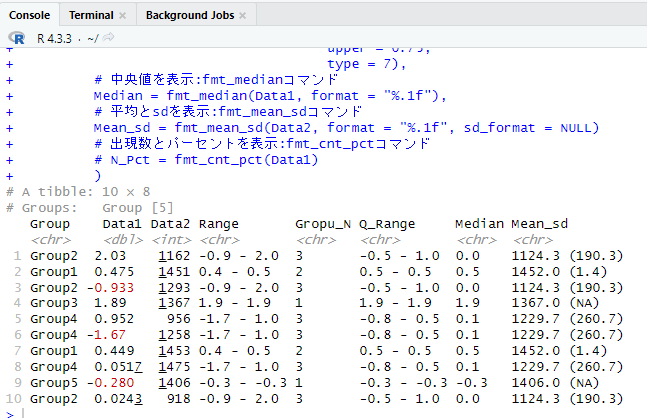
Introduction to useful packages and formatting examples
I hope this makes your analysis a little easier !!