 からだにいいもの
 Analysis in R: Clipboard data in and out! The “clipr” package
This is an introduction to a package that is useful for “reading and writing” clipboard data. You can manipulate the clipboard with commands without using this package, but it is slightly different and cumbersome depending on the OS environment. This package allows you to manipulate the clipboard without worrying about the OS environment.
Why not use it when you need to quickly process overflowing data from the web in R?
Package version is 0.8.0. Checked with R version 4.2.2.
<おすすめのRに関する書籍です>
![Rで楽しむベイズ統計入門[しくみから理解するベイズ推定の基礎] Data Science Library](https://m.media-amazon.com/images/I/519e2geAM2L._SL500_.jpg)
Rで楽しむベイズ統計入門[しくみから理解するベイズ推定の基礎] Data Science Library
ベイズ推定のしくみを、仕組みの理解から丁寧に追う入門書。
 www.amazon.co.jp
Install Package
Run the following command.
#Install Package
install.packages("clipr")
スポンサーリンク
Example
See the command and package help for details.
#Loading the library
library("clipr")

###Creating Data#####
n <- 150
TestData <- data.frame("SubGroup" = sample(c("KA", "RA", "DA"), n, replace = TRUE),
                       "ID" = sample(letters[1:24], n, replace = TRUE),
                       "Area" = 1:n, "Point" = 0.1:(0.1*n),
                       "Facet" = sample(letters[1:2], n, replace = TRUE),
                       "No" = sample(1:10, n, replace = TRUE))
########

#Writes example data to the clipboard:write_clip command
#Specify data line breaks:sep option
#Add charactor at the end:eos option;Display nothing:NULL
write_clip(content = TestData, sep = NULL, eos = NULL)

#Reads example data to the clipboard:read_clip command
#Note that the read_clip command does not support image copying
#Execute after copying the above two lines
read_clip()
[1] "#Reads example data to the clipboard:read_clip command"
[2] "#Note that the read_clip command does not support image copying"
I hope this makes your analysis a little easier !!
<おすすめのRに関する書籍です>
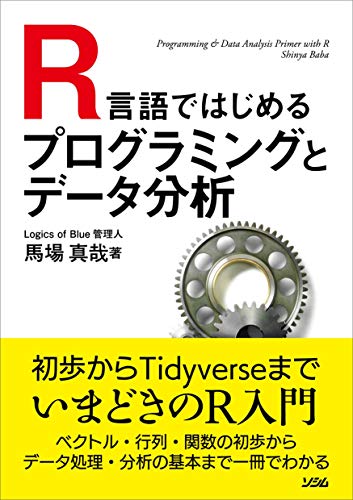
R言語ではじめるプログラミングとデータ分析 | 馬場 真哉
Rの文法から始めて、データ分析の基礎までひとつながりで学べる入門書。
スポンサーリンク