 からだにいいもの
 Analyze in R: Create a monochromatic palette. The “tinter” package
Introducing a package that is useful for creating single-color palettes.
Package version is 0.1.0. Checked with R version 4.1.2.
<おすすめのRに関する書籍です>
R言語ではじめるプログラミングとデータ分析 | 馬場 真哉
Rの文法から始めて、データ分析の基礎までひとつながりで学べる入門書。
Install Package
Run the following command.
#Install Package
install.packages("tinter")
#Installation of the scales package if necessary
#install.packages("scales")
スポンサーリンク
Example
See the command and package help for details.
#Loading the library
library("tinter")

#Create a single color palette: tiner command
#Specify a base color: x option
#Number of colors to create around a base color: steps option
#Direction for creating light and dark: direction option; tints,shades,both
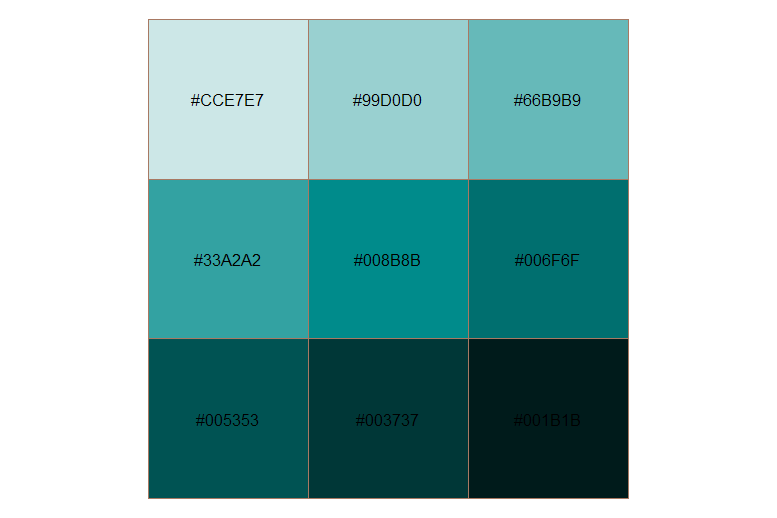
TinCol <- tinter(x = "#008b8b", steps = 5, direction = "both")
#Plot
scales::show_col(TinCol, labels = TRUE, borders = "#a87963")

#Lighten: lighten command
#Specify the amount of adjustment:mount option; specify with 0-1
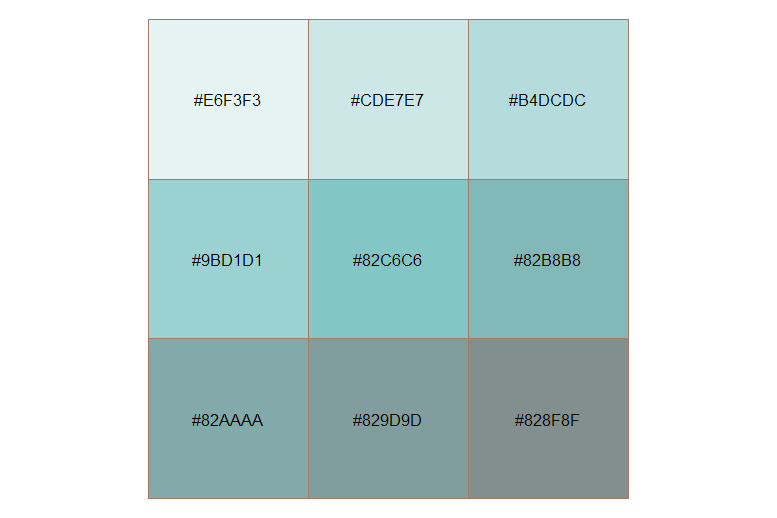
LtTinCol <- lighten(x = TinCol, amount = .5)
scales::show_col(LtTinCol, labels = TRUE, borders = "#a87963")

#darken: darken command
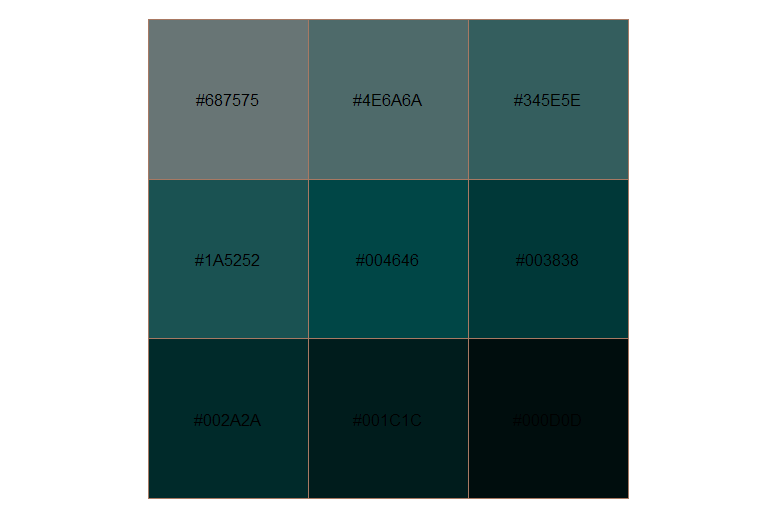
DkTinCol <- darken(x = TinCol, amount = .5)
scales::show_col(DkTinCol, labels = TRUE, borders = "#a87963")
Output Example
・tiner command
・lighten command
・darken command
I hope this makes your analysis a little easier !!


スポンサーリンク